


Serve more diners your way, with orders, bills, and payments ready to move faster with Network

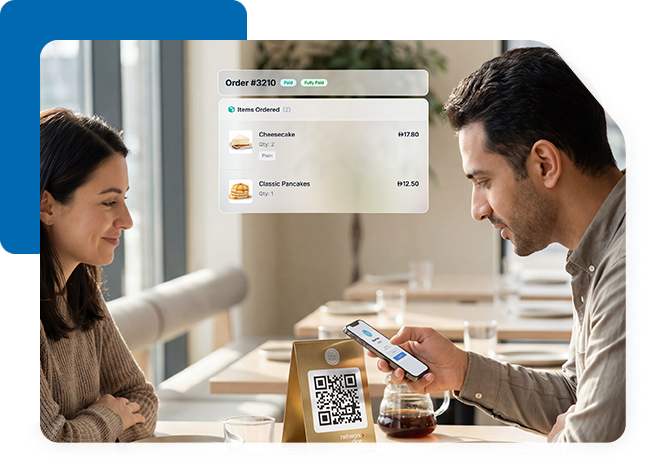
QR-code based Scan, Order and Pay set up or staff-assisted ordering and payments on Network POS terminals – both fully integrated with your kitchen and POS systems.

Orders flow directly into your POS and kitchen Systems. No manual entry, missed tickets, or delays.

Orders, bills, and payments move faster with less manual effort, increasing table turnover and helping your staff serve more guests.

Smart recommendations and visual menus help boost average order size.

Smart, pre-selected tip options make tipping easy and intuitive, and encourage staff.

Enjoy smoother cash flow with faster settlements and streamlined reconciliation, powered by Network.

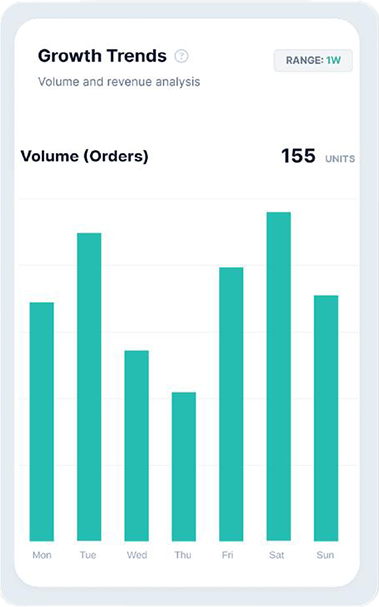
Track item level performance, top performing and least performing items, monitor inventory, payment trends, and customer behavior.

Design and manage fully customizable digital menus with unlimited QR codes. Set different menus by time of day, enable offers, discount code and add-ons.
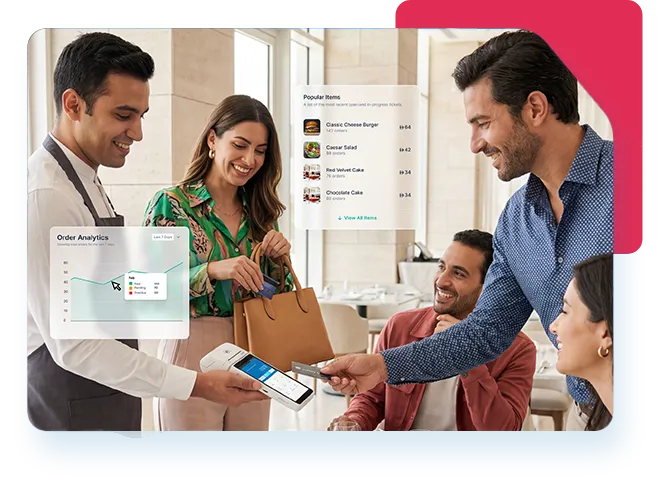
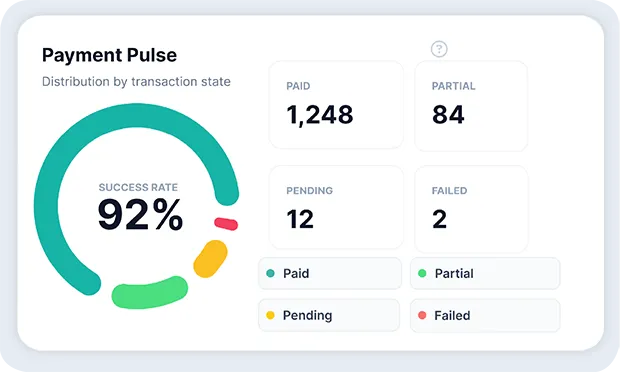
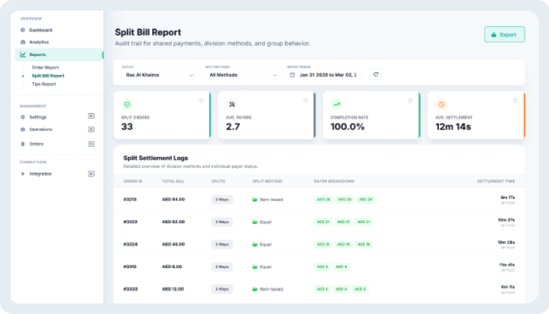
Gain complete visibility into your restaurant’s performance with real-time reporting and analytics. Track orders, monitor revenue trends, view split bill activity, and understand tipping patterns through clear, easy-to-use dashboards designed to help you make faster, smarter operational decisions.
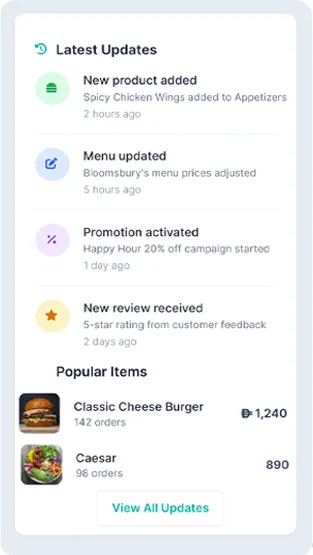


Network Dine is a unified Scan–Order–Pay solution that brings together ordering, menu management, kitchen integration, billing, and payments into one seamless platform.
It allows guests to browse menus, place orders, and pay directly from their phones, while your staff can also take and process orders at the table using Network POS terminals.
Network Dine combines QR-based self-service and staff-assisted service through Network POS terminals, giving you full flexibility in how you serve your guests.
QR-code based Scan, Order and Pay:
Pay at Table on Network POS terminal: (coming soon)
All orders, whether placed by guests or staff, are automatically routed to the kitchen, with billing and payments fully integrated into one seamless system.
No. Network Dine replaces the need for separate vendors by offering ordering, kitchen routing, billing, payments. All through a single integration and one agreement with Network.
Network Dine integrates directly with your existing POS and kitchen systems, so orders flow automatically without any manual intervention. Orders placed via QR or by staff on Network POS terminals are automatically routed to your POS and kitchen system. Your kitchen receives orders in real time, just like any standard order. This is enabled through a single integration by Network International, so you don’t need separate systems or vendors to manage ordering, kitchen operations, and payments.
Yes. Your staff can take orders directly at the table and process payments using Network POS terminal. Network Dine supports both self-service and staff-assisted service models.
Network Dine works across multiple formats: Dine-in restaurants, cafés, Quick Service Restaurants (QSRs), poolside or outdoor dining, drive-thru and hybrid formats.
Payments are processed through Network’s secure infrastructure, supporting cards, mobile and digital wallets, alternate payment methods.
No. Customers can access everything through a simple QR scan — no app download required.
Yes. Network Dine allows guests to split bills easily and add tips with smart, pre-set options
All transactions are settled through Network, giving you clear visibility across settlements and reconciliation, faster and simpler cash flow management.
Network Dine works with your existing setup. Additional hardware may only be required based on your current configuration.
Network Dine is designed to integrate with your existing systems and operational setup, ensuring minimal disruption while enhancing your current workflows.
Your menu is configured during onboarding and can be updated as needed. You’ll have the flexibility to modify items, pricing, promotions and availability to keep your menu up to date.
You can reach out to your Network International Relationship Manager, who will guide you through the onboarding and setup process. If you’re a new customer to Network International, please sign up here and you will be contacted shortly.
To get started, you may be required to share:
In most cases, yes. API access enables Network Dine to integrate directly with your POS and kitchen systems, ensuring orders flow automatically without manual intervention. Our team will assess your current set up and guide you through this during onboarding.
Network Dine dashboard provides insights such as sales performance, item-level trends such as top performing items, top performing categories, most ordered items and more. Split payment and tips report, and payment analytics.
Customers can still use traditional ordering and billing. Network Dine is flexible to your service style.
Network Dine offers simple and transparent pricing, with no hidden charges. Please contact your Relationship Manager for exact pricing details.
Yes. Network Dine is fully scalable and can be deployed across single or multiple locations with centralised visibility through the Network Dine reporting dashboard.
You may refer to the detailed Network Dine user guide here.
